

What lives in a workspace
A workspace usually includes:- People with access levels: Collaboration is managed via Workspace Owners (full admin control) and Members.
- Shared Teamspaces: Organized areas where teams can manage models, databases, and boards collectively.
- Planning Assets: Shared models, databases, and views that are accessible to the team.
- Workspace Settings: Global settings for data access, integrations, and organizational preferences.
Switching between workspaces
Why switch?
Users often belong to multiple workspaces to manage different business units, distinct client projects, or separate testing environments. Switching workspaces allows you to jump between these isolated contexts using a single login.How to switch
You can easily switch between your active workspaces from the profile menu: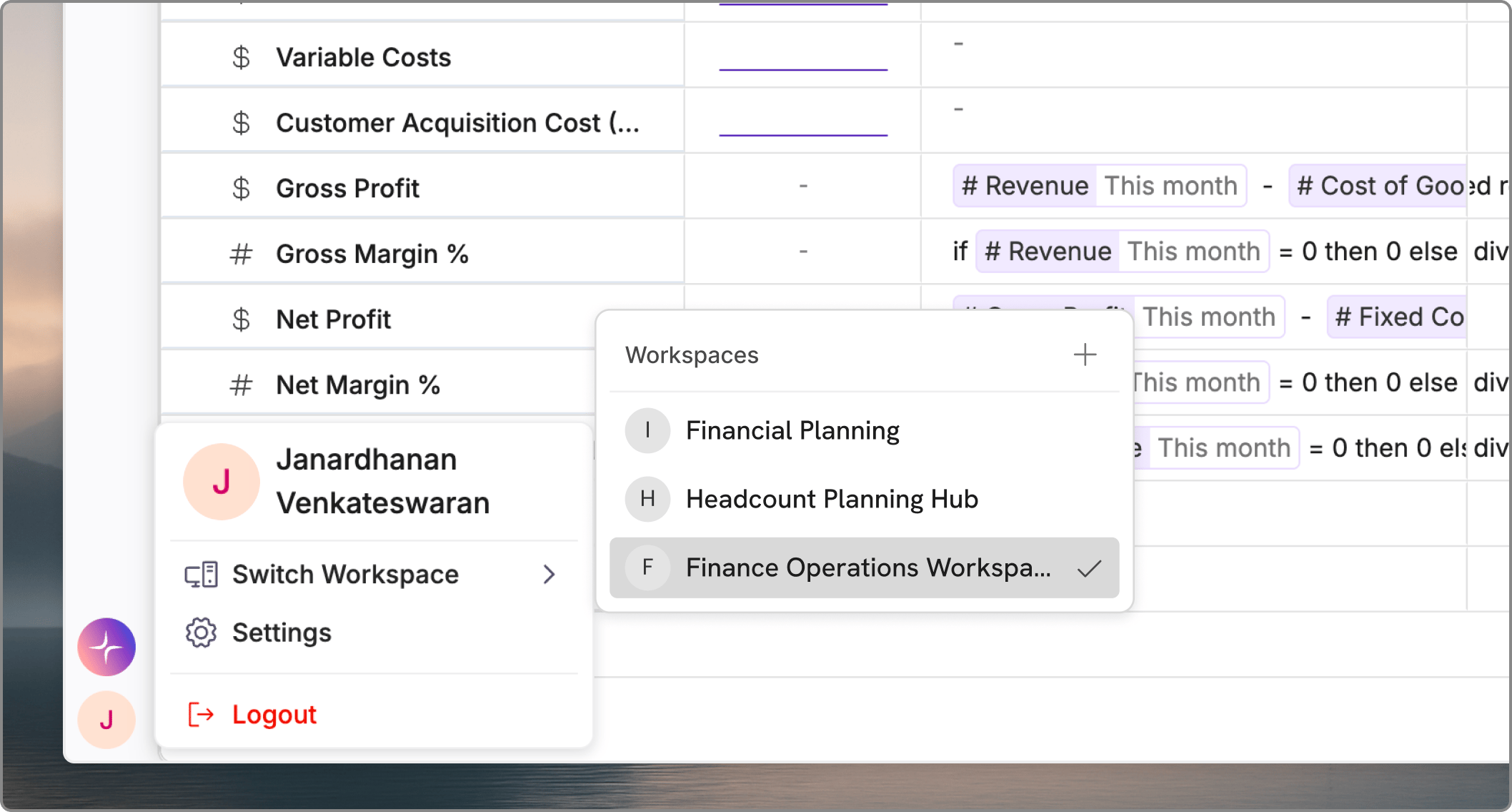
- Click on your profile icon in the bottom-left corner of the navigation bar.
- Select Switch Workspace from the menu options.
- Choose the target workspace from your list of available environments.
You can create a new workspace by clicking the + icon in the right corner of the Workspaces list.