

Why time matters
Time decisions affect the whole model, not just one report. They influence:- how far your model runs
- how often values are stored and reviewed
- where the model switches from historical logic to planned logic
- how quarterly and yearly summaries are calculated
- how reusable your formulas and views stay over time
Model-level time settings
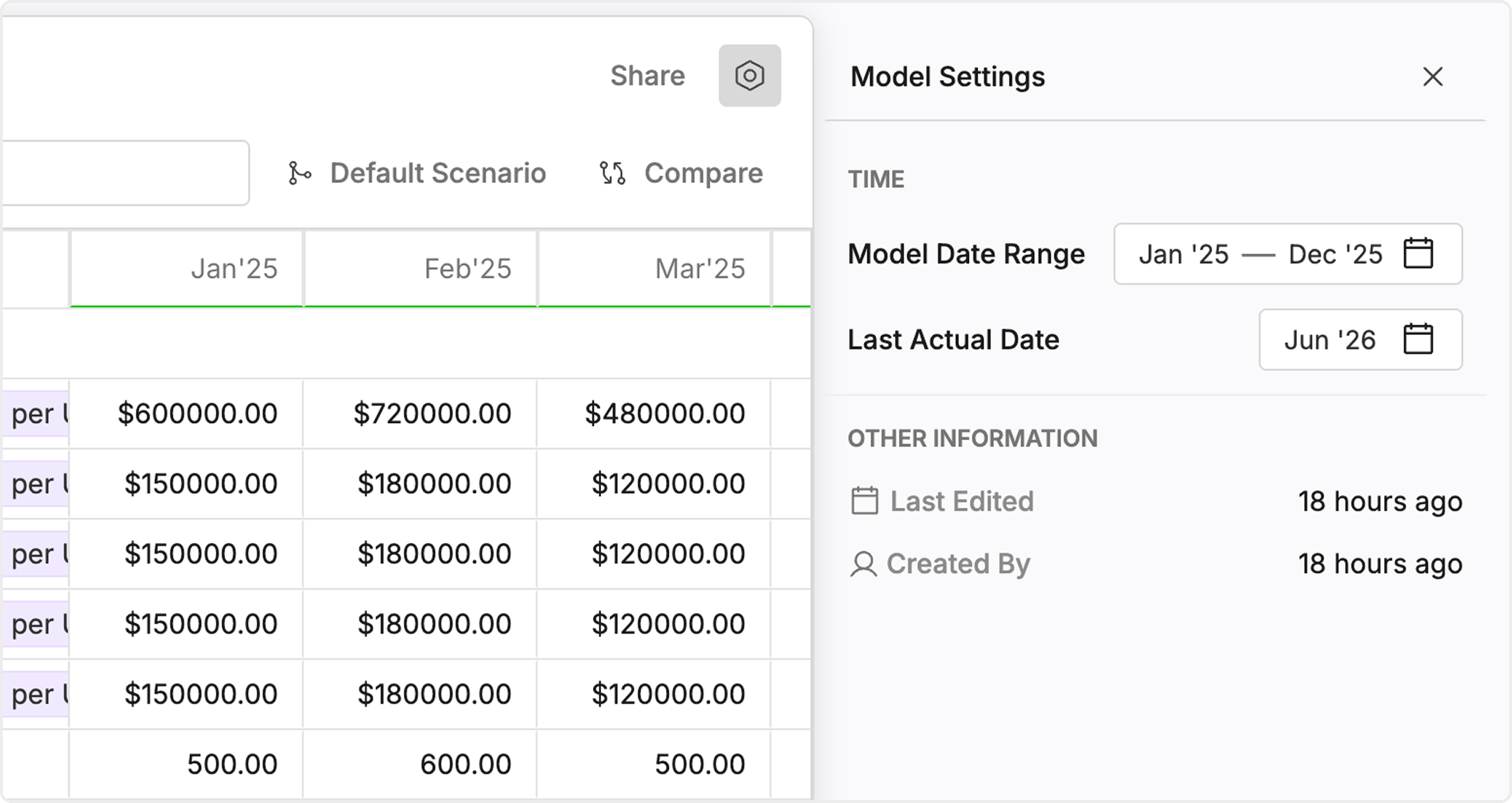
The model settings define the time rules the rest of the model inherits.Model date rangesets the first and last period in the model.Time granularitydefines whether the model runs monthly, quarterly, or yearly.Last actual datemarks the cutoff between actual and planned behavior.Fiscal year assumptionsdefine how Oculon groups periods into fiscal quarters and fiscal years.
Time inside formulas and reporting
Time also appears in the way variables, formulas, and reports behave day to day.Actual formulalogic applies to periods on the actuals side of theLast actual date.Planned formulalogic applies to periods after that cutoff.Relative timelets you build rules that move forward with the model instead of hard-coding one month or quarter.Time aggregationdefines what a metric should mean when you review it at quarter or year level.Time rollupsdefine how lower-level periods are grouped into higher-level periods.
How the pieces work together
You can think about the time system in four steps:- Set the model date range and granularity.
- Set the
Last actual dateso Oculon knows where actual behavior ends. - Write actual and planned formulas that behave correctly on each side of that cutoff.
- Review quarterly and yearly outputs to confirm rollups and aggregation still match the business meaning of the metric.
Common scenarios
Monthly operating model
Most FP&A models work best at monthly granularity. You can use monthly actuals, monthly forecast logic, and then roll those periods up into quarter and year views for reporting.Quarterly strategic model
If the model is meant for long-range planning instead of operational tracking, quarterly granularity can keep the model smaller and easier to maintain.Executive reporting
Even when the model runs monthly, executives often consume quarter and year summaries. That makes aggregation and rollup behavior just as important as the base formula.What to decide before you build
Use this checklist before you start deeper modeling work:- confirm the planning horizon
- choose the lowest level of detail you need
- decide who updates the
Last actual dateduring close - confirm fiscal year assumptions
- identify which metrics should sum and which should behave like end-of-period values
- use relative time instead of hard-coded dates where possible