

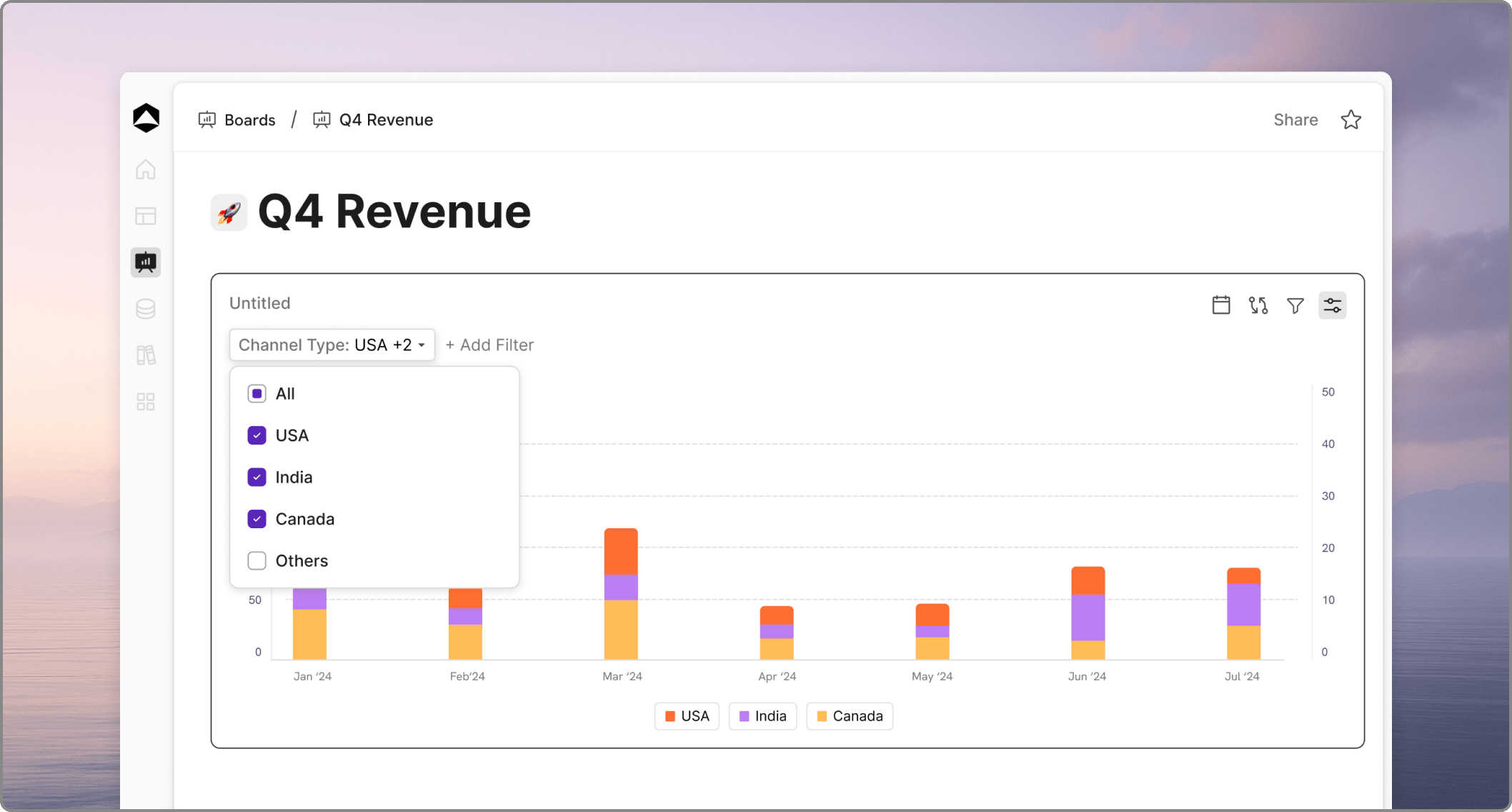
Renaming and Top Panel Actions
You can manage the identity and primary settings of your chart directly from the card’s header.- Rename: Click on the chart title (default is Untitled) to activate edit mode. Type your new name and press Enter to save.
- Action Icons: Use the icons in the top-right corner for quick adjustments:
- Date Icon: Add time-based filters or adjust the data rollup.
- Compare Icon: Switch on side-by-side comparisons between different time ranges or scenarios.
- Filter Icon: Quickly add a new Dimension or Scenario filter.
- Config (Gear) Icon: Open the right-side configuration panel for full card edits.
Active Filter Management
When dimensions or scenarios are filtered, they appear as interactive tags in the card’s sub-header.- Adjust Filters: Click on a filter tag (e.g.,
Channel Type: USA +2) to open a dropdown. You can use the checkboxes to select or deselect specific dimension values (like Asia, Europe, etc.). - Add More Criteria: Click the + Add Filter button next to existing tags to layer additional dimensions or scenarios onto your view.
Data Exploration Tools
Oculon provides intuitive visual cues to help you interpret your data accurately.- Hover Tooltips: Hover your cursor over any chart element (bar or point) to see a precise breakdown of the time and value at that specific location.
- Legends and Labels: Categorical labels are displayed at the bottom of the chart. These correspond to the variables selected or the dimension slices created by your breakdowns and filters.