

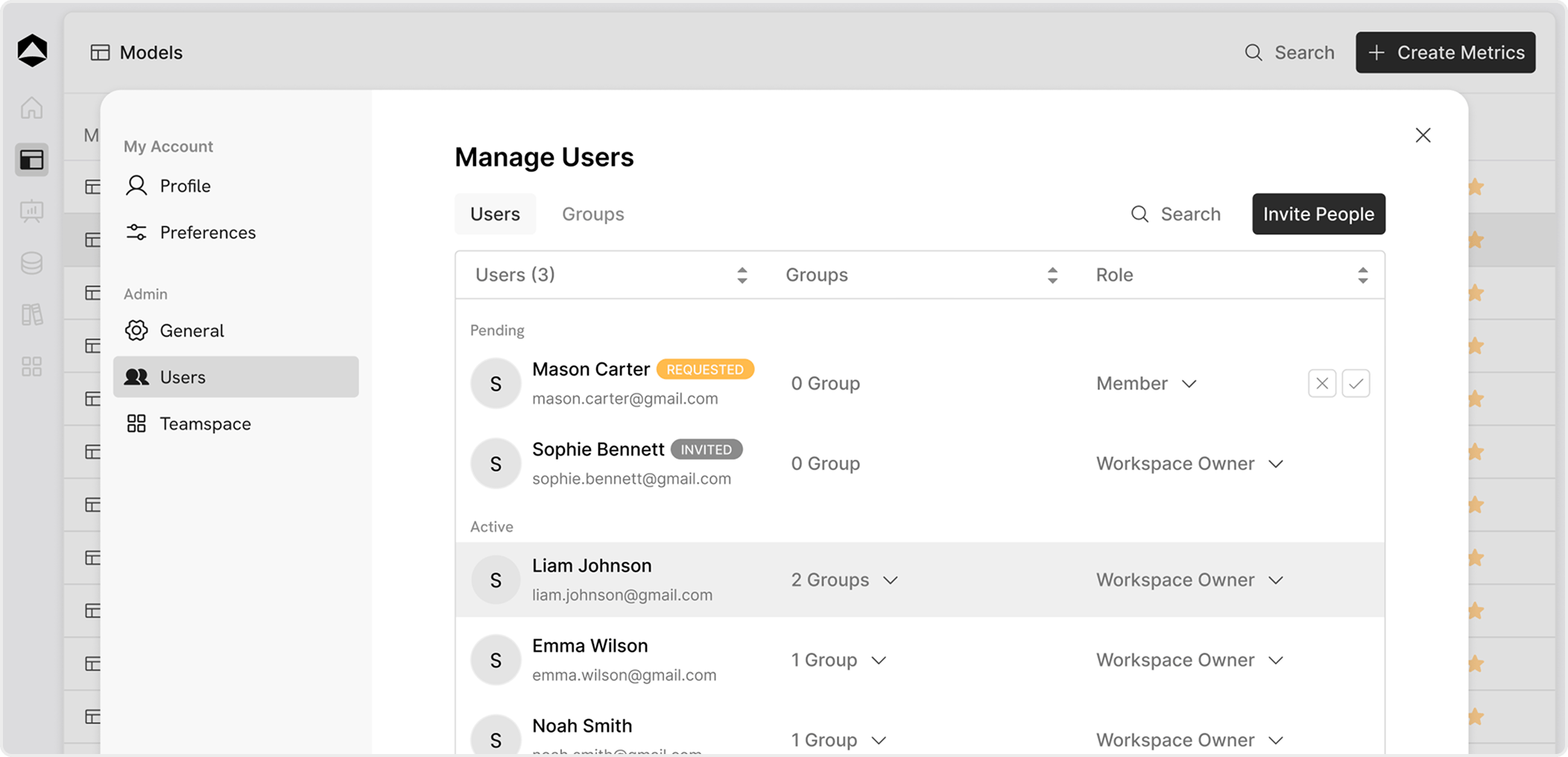
User States
Users in your workspace can be in different states based on how they joined:-
Requested
Users who request access to a public workspace.
You can accept or reject these requests. -
Invited
Users invited via email.
You can revoke the invite if needed before they join. -
Active
Users who are part of the workspace and can access resources based on their role.
Inviting Users
You can invite users directly to your workspace:- Click Invite People
- Enter one or multiple email IDs
- Assign roles and groups (optional)
- Send the invite icon: users
Roles
Roles define what a user can do in the workspace:-
Member
Can view and work on models, boards, and databases based on access permissions. -
Workspace Owner
Full control over workspace settings, users, and permissions.
Groups
Groups help organize users and manage access more efficiently.- Add users to one or multiple groups
- Assign permissions at the group level
- Useful for teams (e.g., Finance, Sales, Ops) icon: users
Key Actions
- Approve or reject access requests
- Invite or revoke users
- Assign roles (Member / Workspace Owner)
- Add users to groups for structured access