

Managing Integrations
From the Integration section, you can view and manage all connected sources.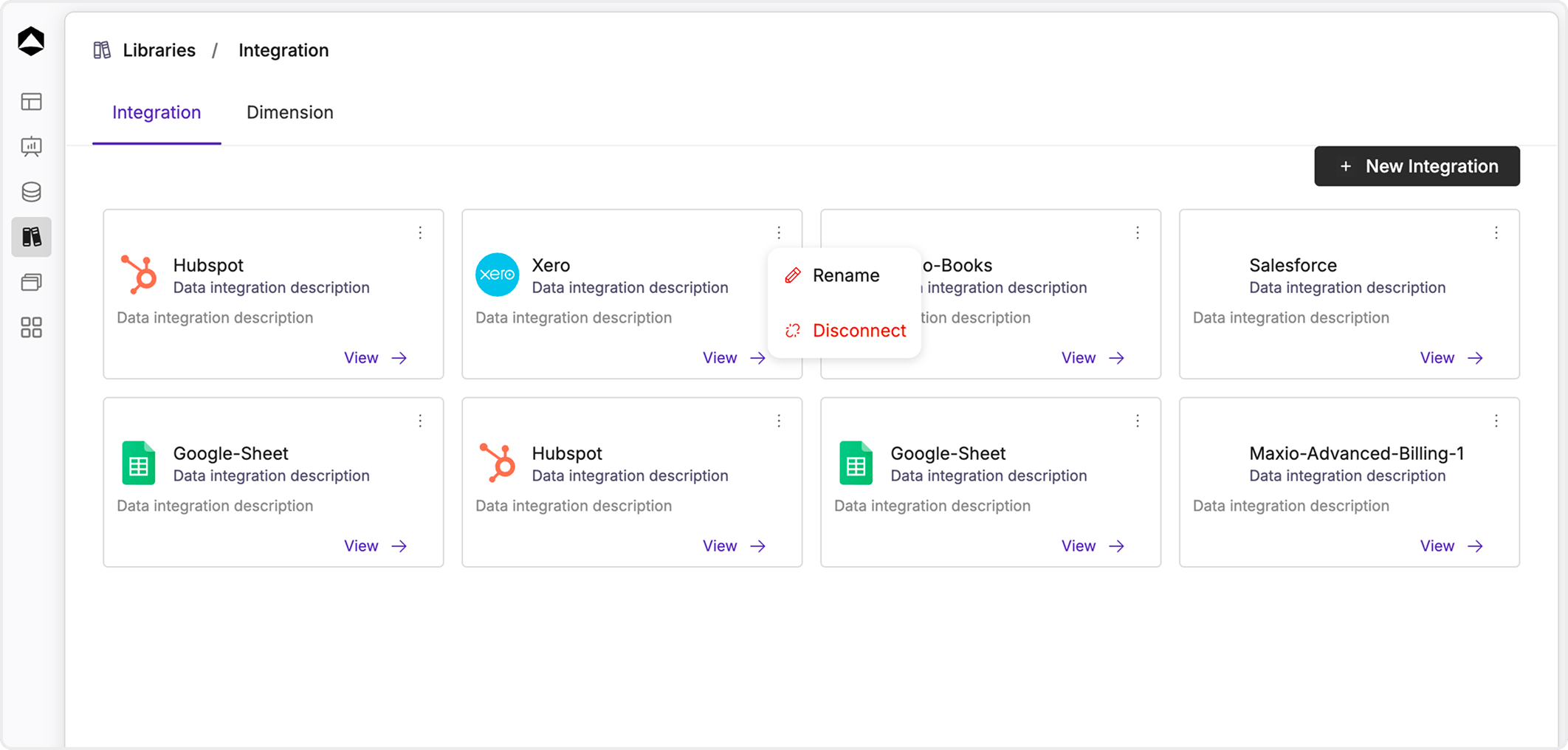
- Click on an integration card to open and start working with it
- Use the menu (⋮) to:
- Rename the integration
- Disconnect the integration
Creating a Query
You can click on any integration to view integration query detail page. Here you can create one or more queries to fetch specific data.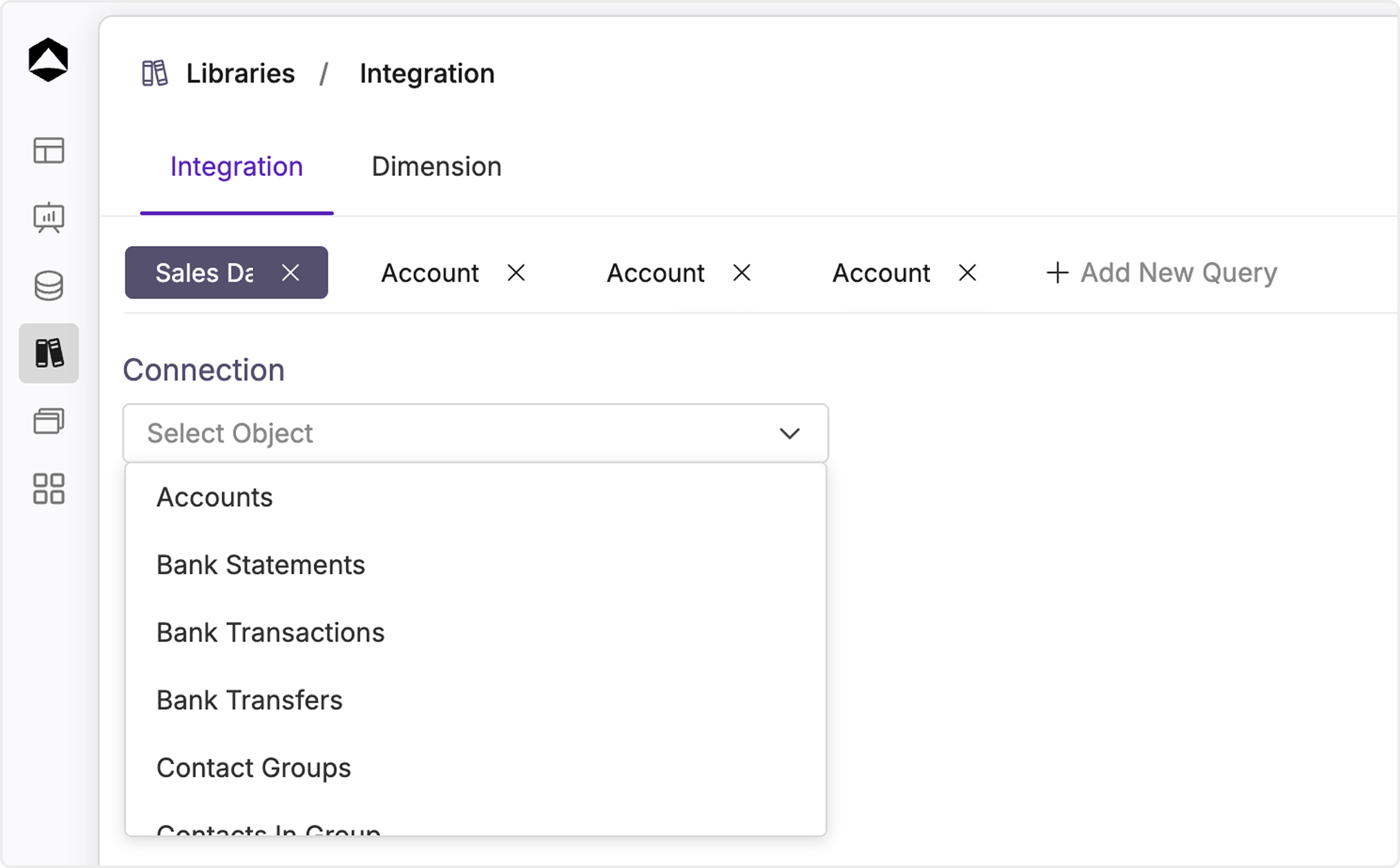
- Click Add New Query
- Select an object/table (e.g., Accounts, Transactions)
- Choose the required fields
- Configure filters if needed
- Click Run Query to fetch data
Creating a Database
Once the query is ready:- Save and name the database
- A database is automatically created from the query
- You are redirected to the database detail page