

Profile Setup
After logging in, set up your profile for a personalized experience and to make it easy for teammates to identify you.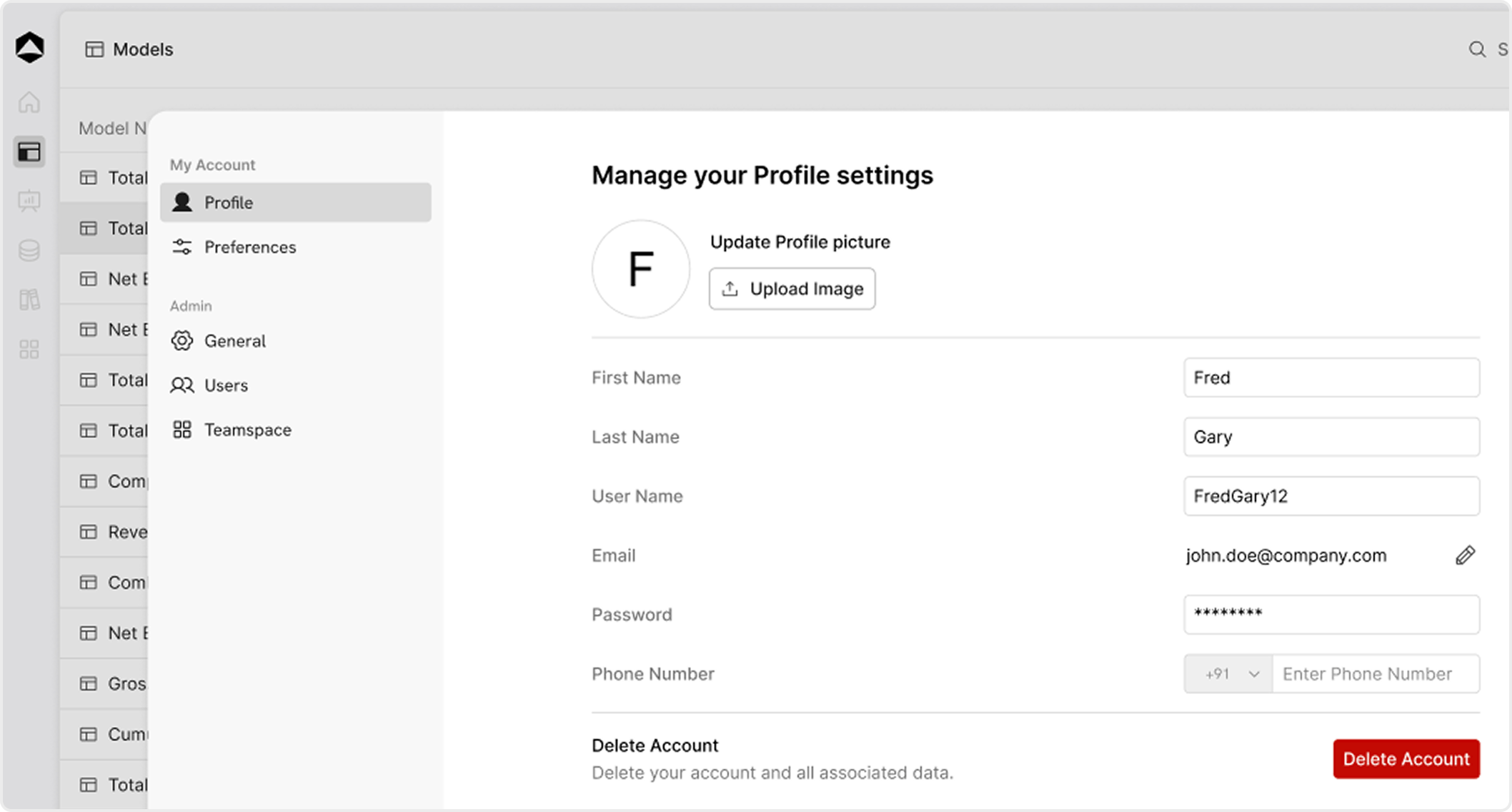
- Go to Profile Settings: Click on your profile icon in the top-right corner, then select Settings > Profile.
- Add Profile Details:
- Name: Enter your full name.
- Email: Enter your work email.
- Phone Number: Enter your phone number.
- Password: Set Your Password
- Save Changes: Click Save to confirm your updates.
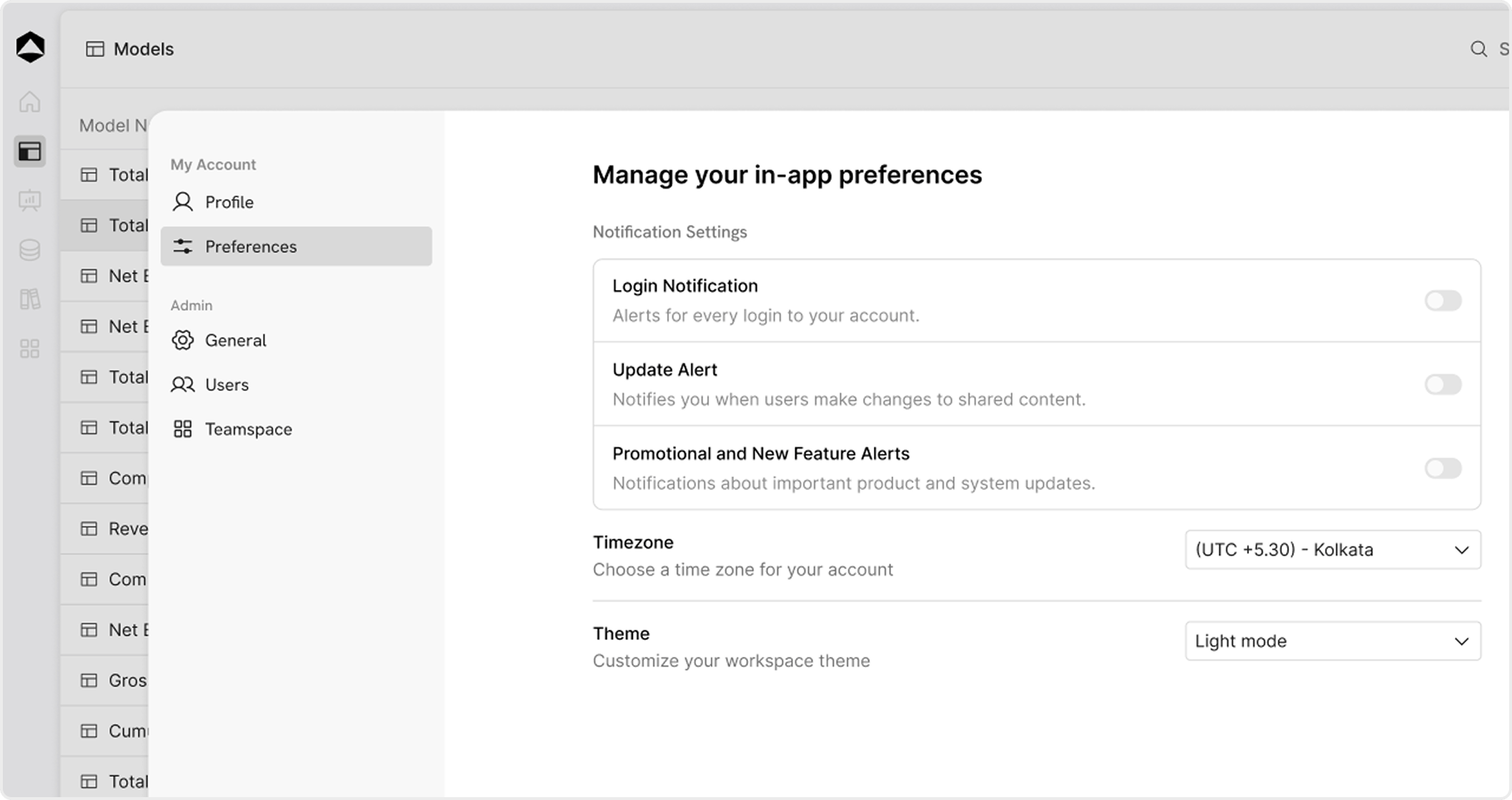
- System default
- Light mode
- Dark mode